AI-powered analytics that turn captured panoramas into 10 scored dimensions of view quality — giving developers verified numbers to price, present, and defend view premiums.

View AI is built around three specific audiences — each with different questions the data needs to answer.
Feasibility, floor mix, and pricing strategy informed by verified view data — not assumptions.
Replace subjective view descriptions with verified numbers your sales team can stand behind in any conversation.
Understand how orientations, setbacks, and neighbouring developments will affect view quality before construction is complete.
Each analytics tab delivers a distinct dimension of view quality — all overlaid directly on the actual panoramic so data is always in context.

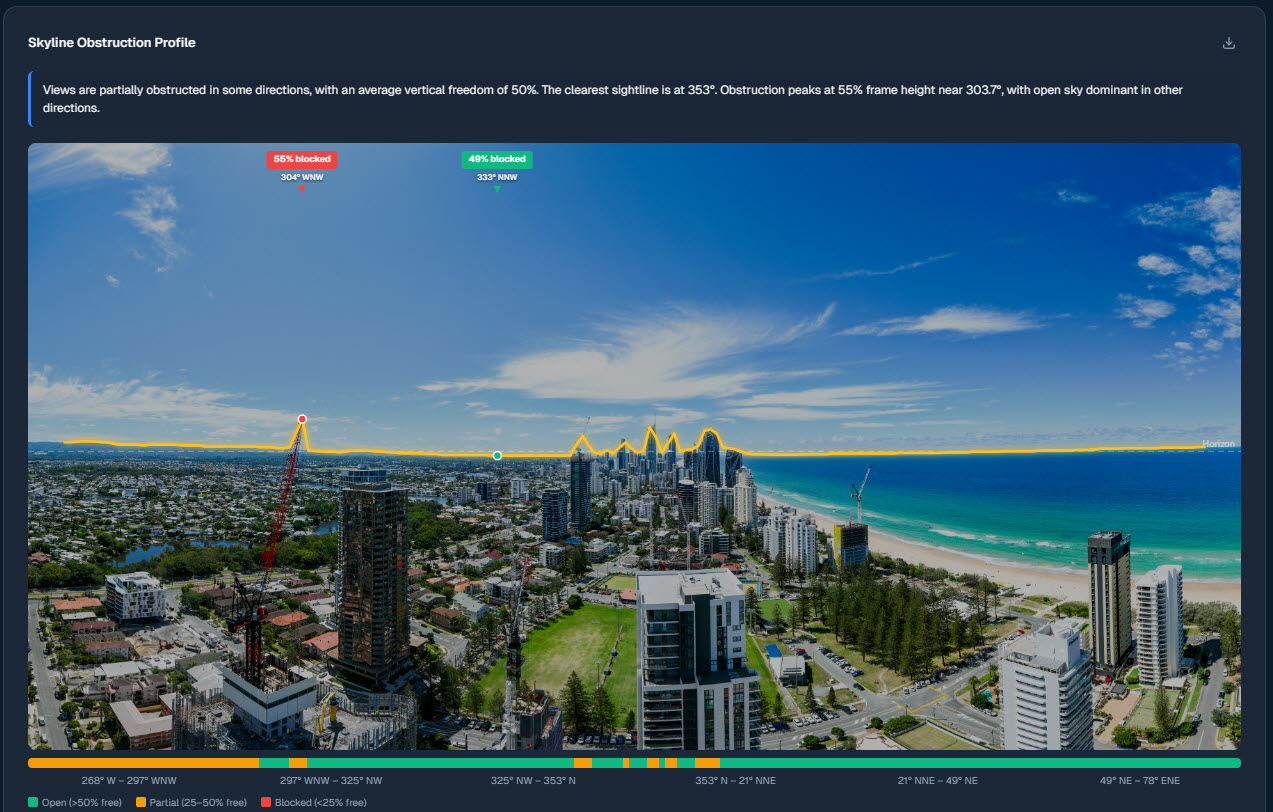
A yellow trace drawn across the panoramic marks exactly where the skyline sits. Peaks show where buildings rise above the horizon; valleys show where open sky breaks through. Gives an instant read on how much sky is blocked and where obstructions are worst.

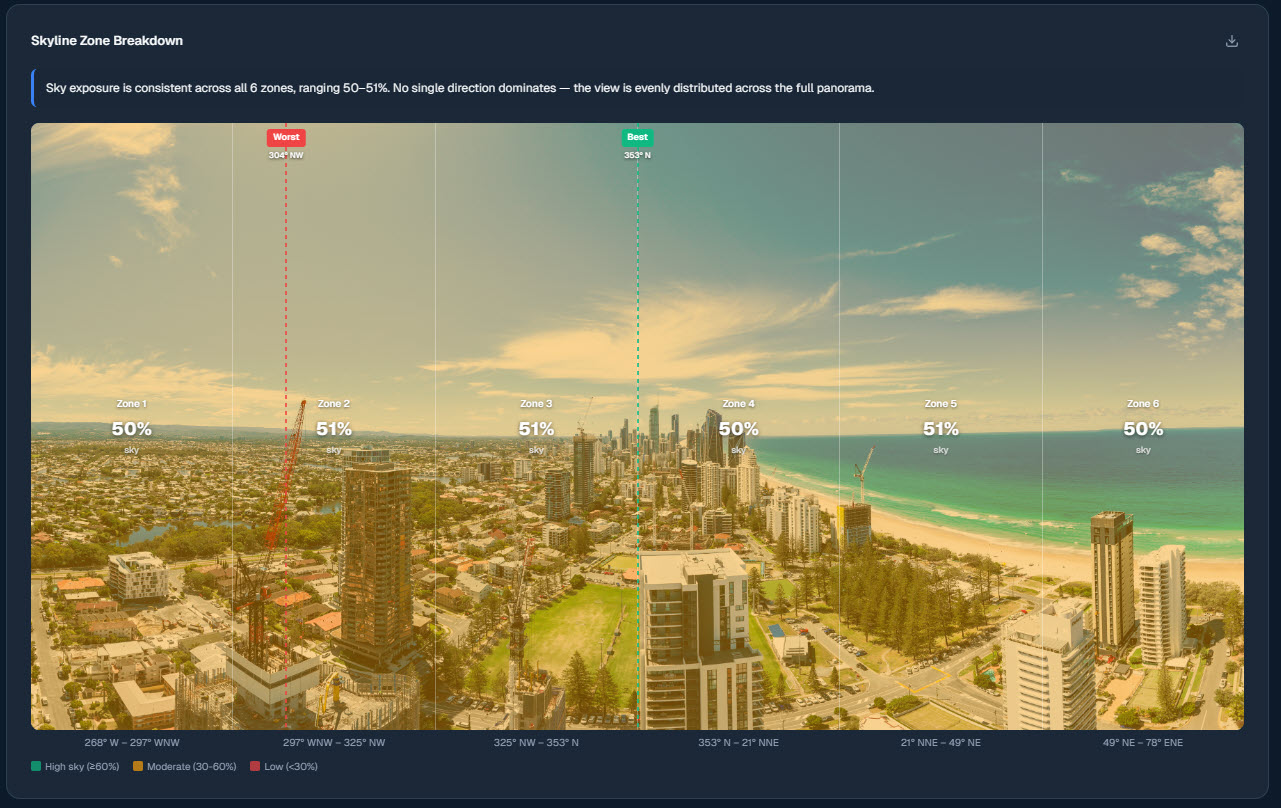
The 180° panoramic is divided into six equal zones, each with its own sky exposure percentage. Reveals which compass directions have the most open sky and which are hemmed in — instantly showing the view's strengths and weak spots.

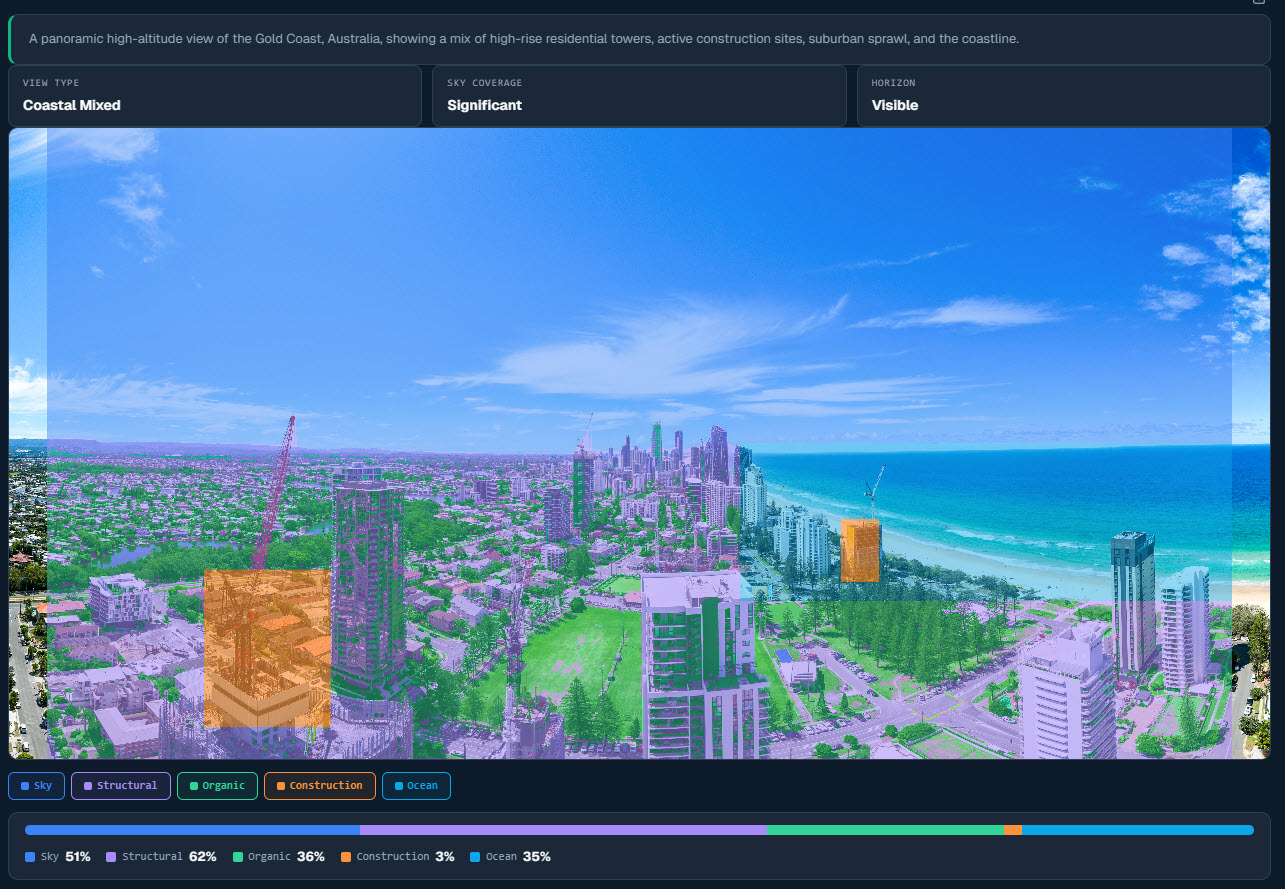
Every pixel is classified into categories — sky, structural (buildings), organic (trees), construction (cranes), and water. A colour-coded overlay shows what the view is actually made of, with percentages for each element.

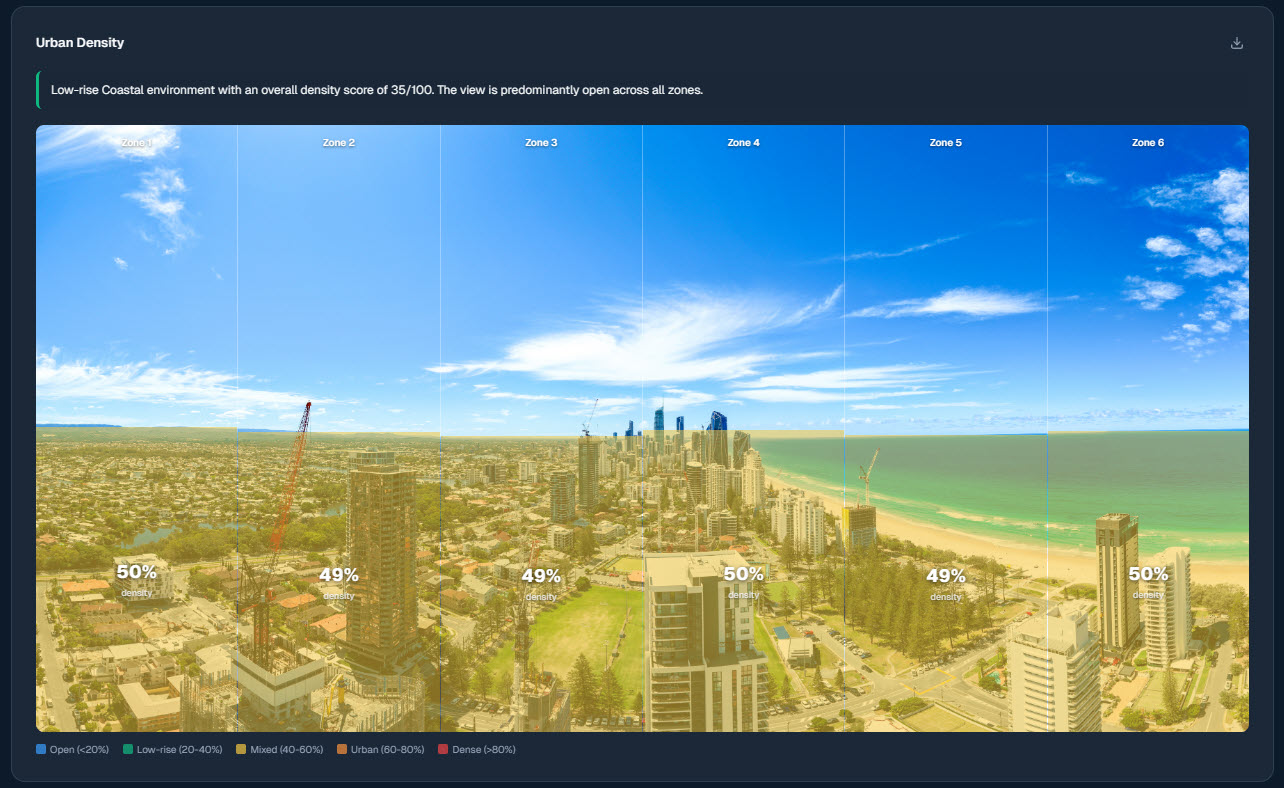
A heatmap overlaid on the panoramic highlights areas of high built-environment concentration. Red and orange indicate dense clusters of buildings; cooler tones show open space. Tells you how urban or spacious the outlook feels.

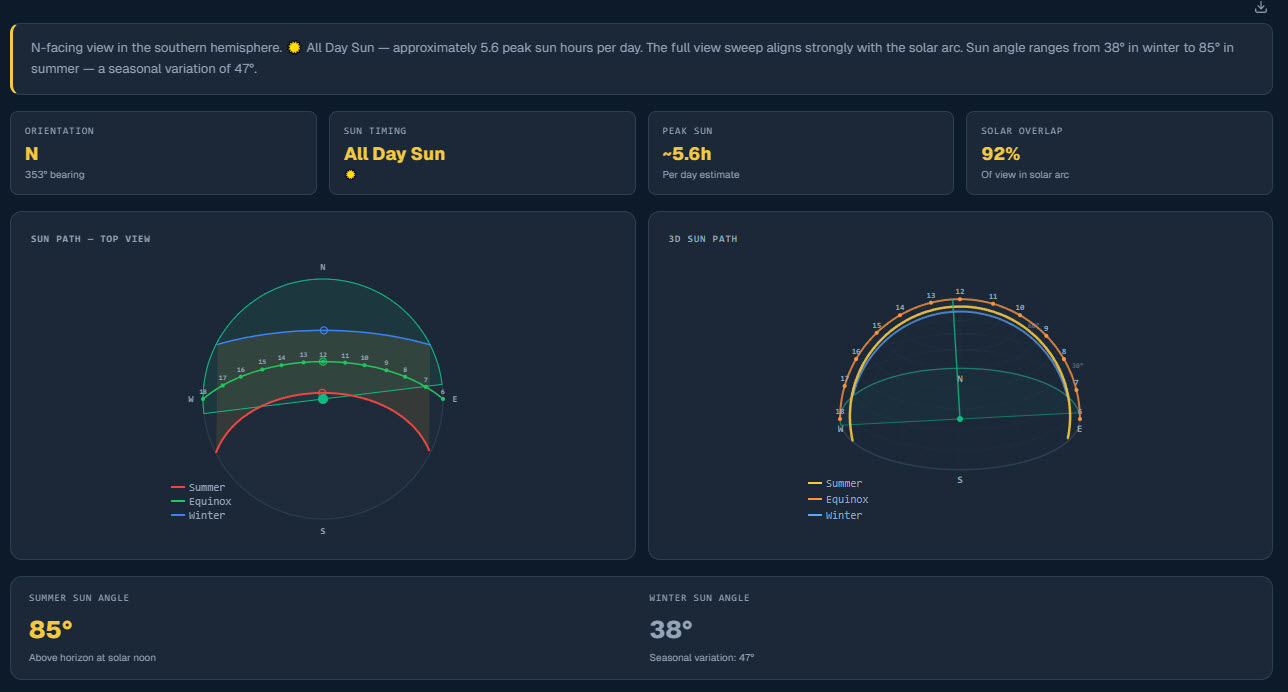
The sun's daily arc is plotted over the panoramic, showing exactly when and where direct sunlight reaches the unit. Morning, midday, and afternoon positions are mapped against the skyline.

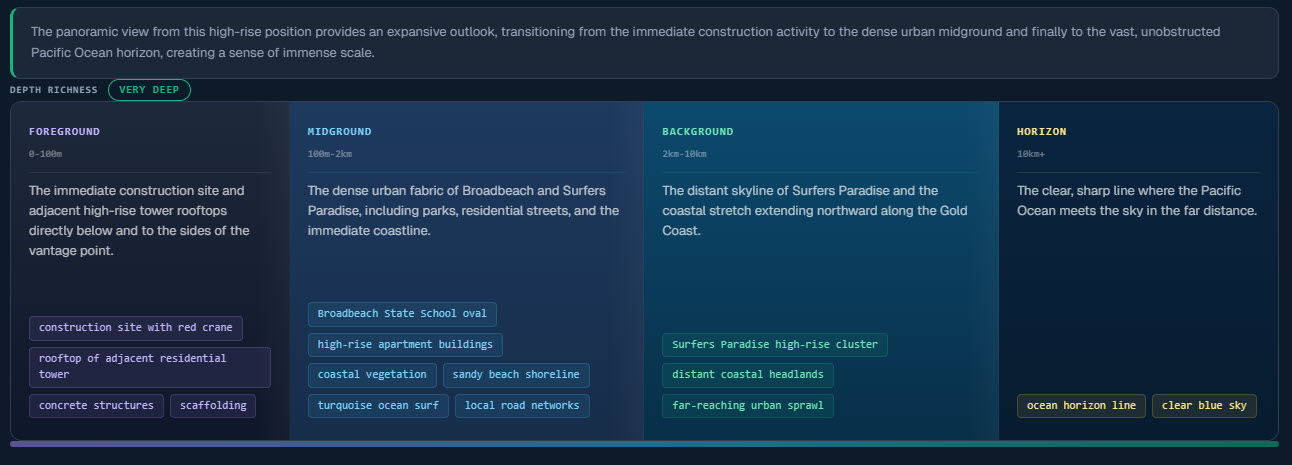
The view is segmented into distance layers — foreground, midground, background, and horizon. Colour-coded bands show how much visual depth the outlook contains.

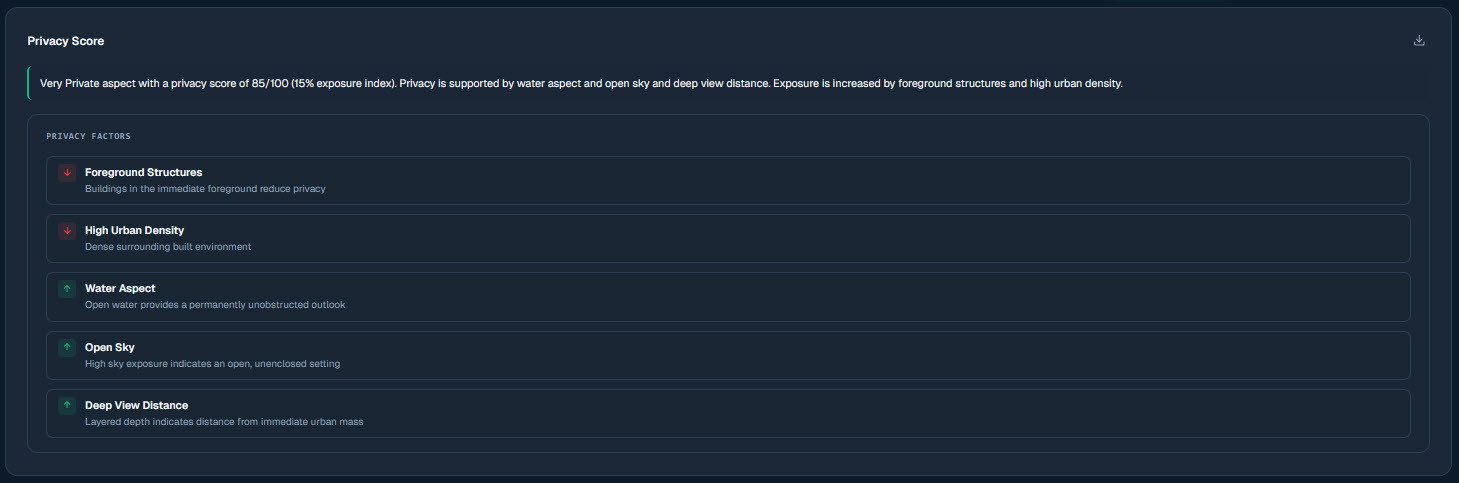
Neighbouring buildings are assessed for proximity, height, and window density. The overlay highlights which directions carry overlooking risk.

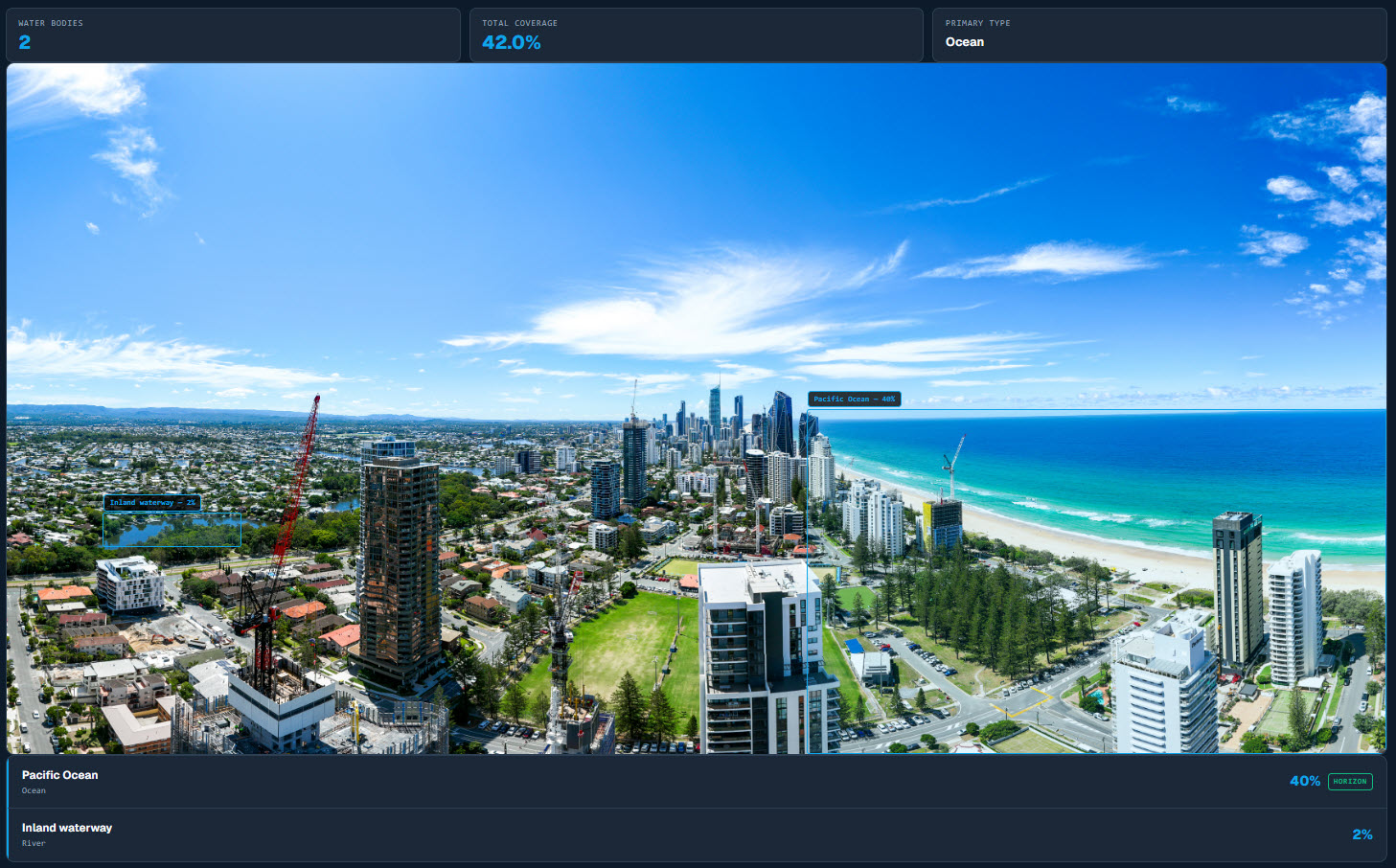
AI detection identifies all visible water bodies and highlights them on the panoramic. Total water coverage percentage shows how much of the view includes water — one of the most sought-after features in residential property.

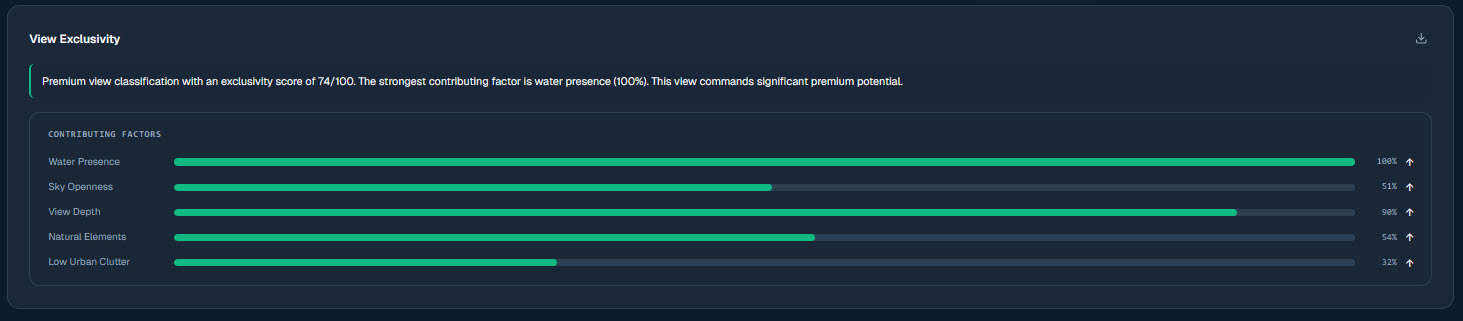
Each unit's VQI is compared against every other unit in the development and classified into tiers — Premium, Signature, Standard, or Common.
VQI is a composite score from 0–100 that synthesises all analytics dimensions into a single defensible number for each unit.
VQI isn't a subjective rating — it's a composite of ten measured dimensions, each weighted by its contribution to overall view quality. A unit scoring 85 can be compared directly to any other unit in the development, or to units in a comparable project.
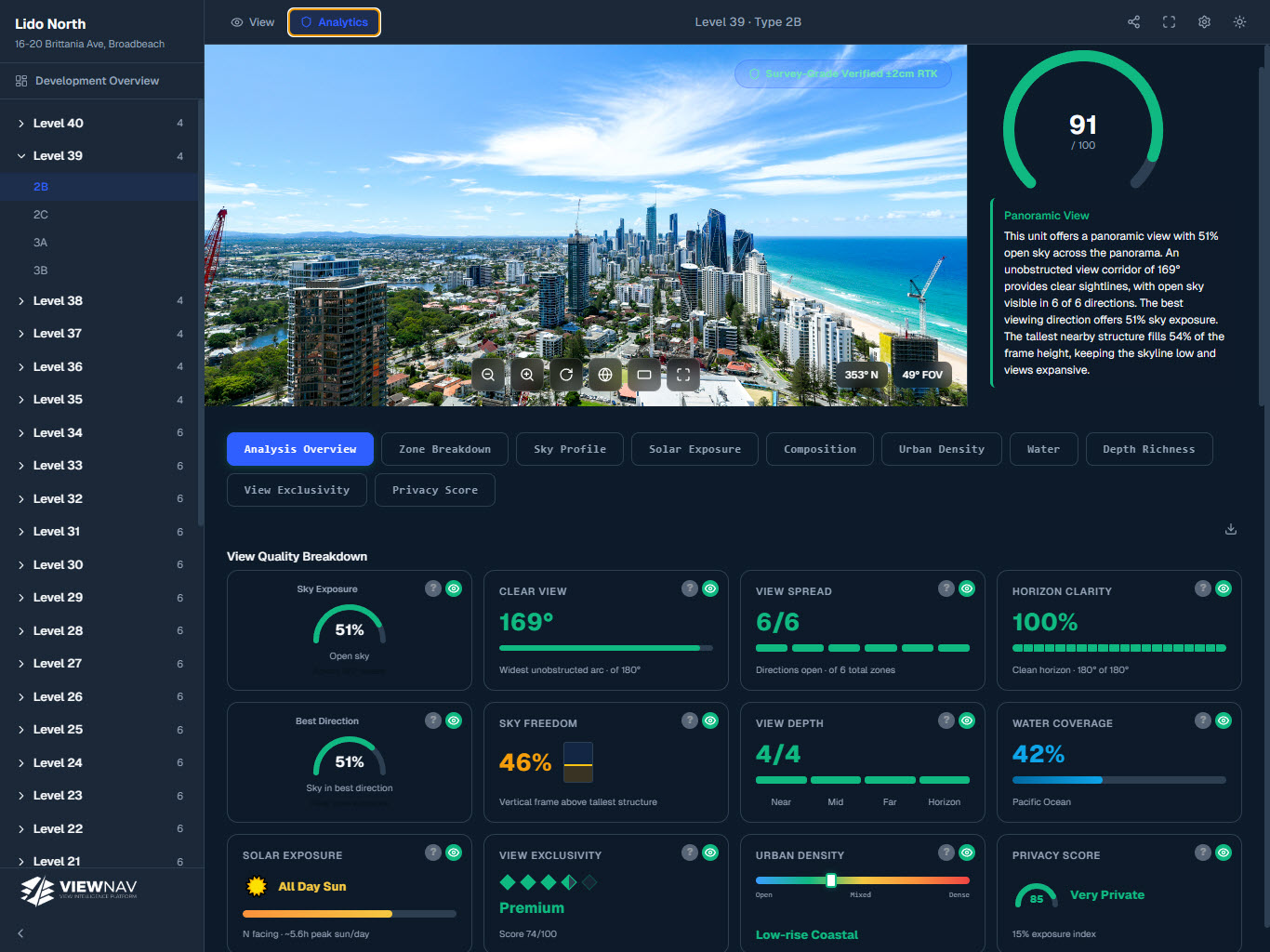
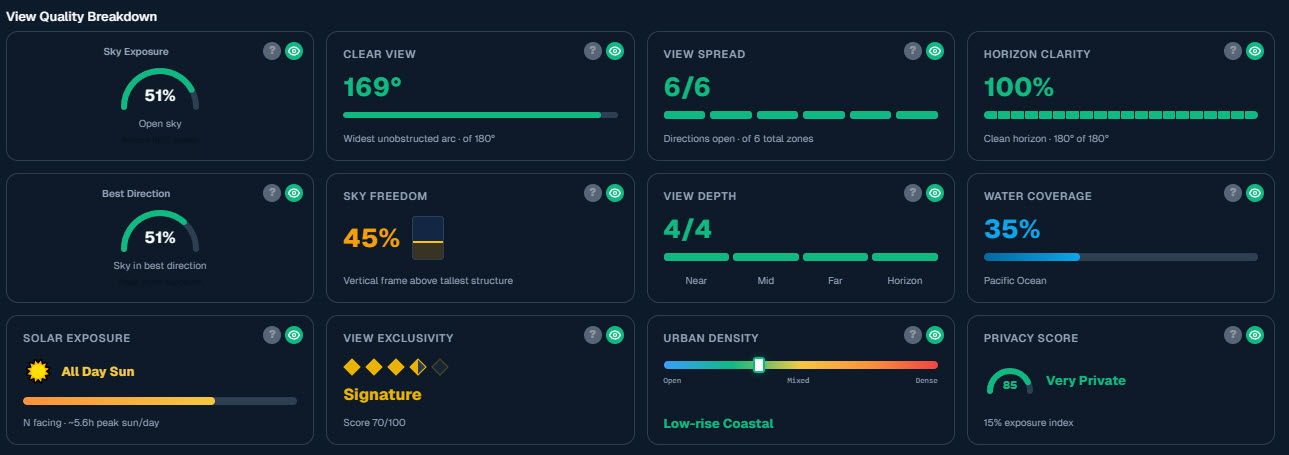
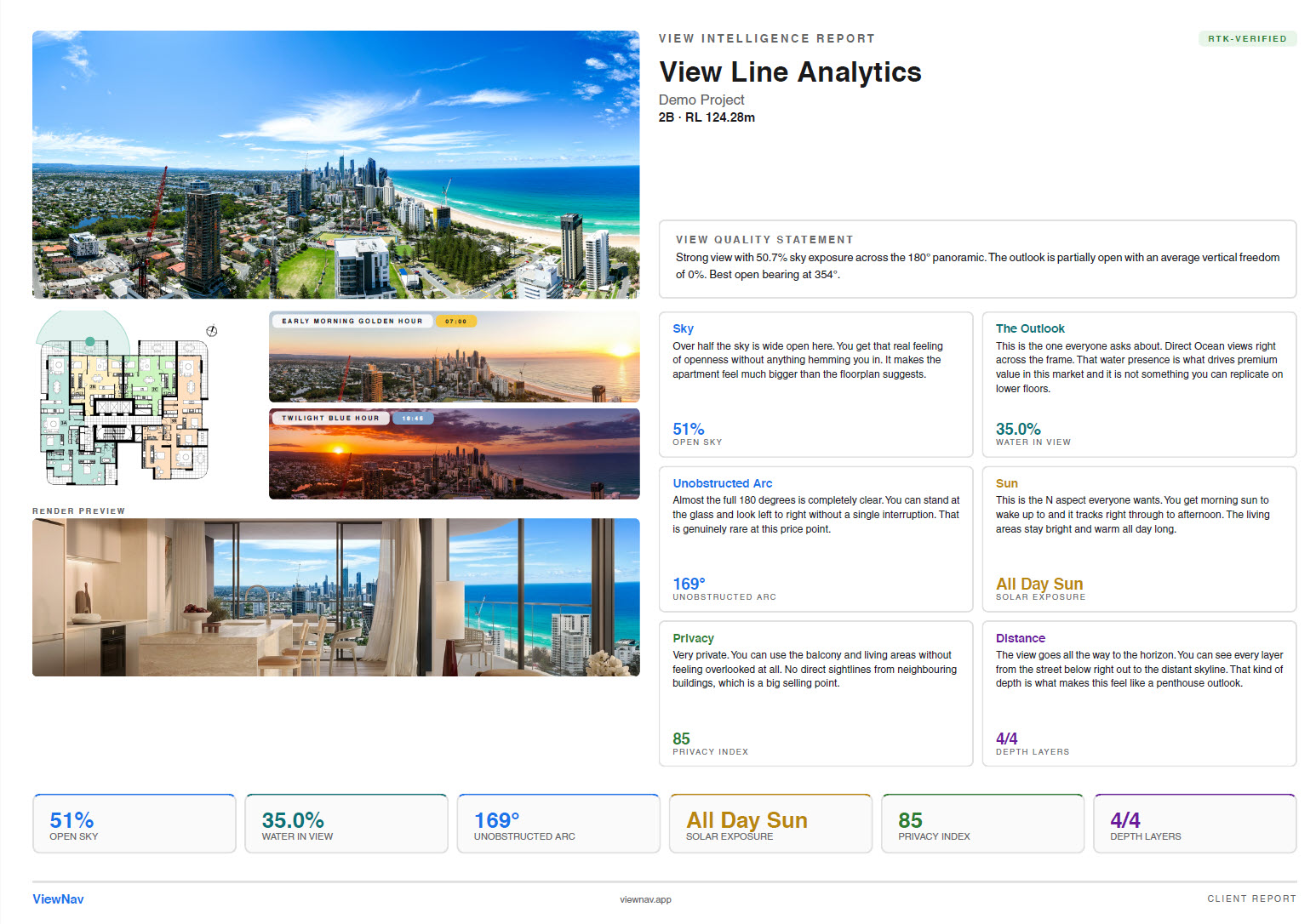
Every unit receives a full View Quality Breakdown — 12 individual KPI cards covering every dimension from sky openness to privacy score. Each card delivers a single metric with explanation, making the data legible for buyers and precise enough for developers.

How much open sky is visible. Higher percentage means more natural light, an open feel, and fewer obstructions above the horizon.
The proportion of the panoramic that is completely unobstructed — no buildings, cranes, or structures blocking the line of sight.
How wide the unobstructed view extends across the horizon in degrees. A wider spread means the open view isn't confined to a narrow gap between buildings.
How clearly the distant horizon line is visible without interruption. A clean, continuous horizon suggests long-range views with minimal near-field blockage.
The compass bearing with the highest view quality score — tells you exactly which way to face for the most impressive, unobstructed outlook.
How free the overhead view is from encroaching structures. Even with a good horizon view, tall nearby buildings can close in the sky above.
How far into the distance you can see — from foreground to midground to deep background. Greater depth means more visual layers and a more expansive feel.
The percentage of the view containing visible water — ocean, river, harbour, or lake. Consistently among the highest-value features in residential property.
How much direct and ambient sunlight reaches the unit throughout the day, factored from the sun's path relative to the view direction.
How rare and premium the view is compared to all other units — rated Premium, Signature, Standard, or Common based on overall VQI relative to the development.
How much built environment fills the view frame. Lower density means more natural or open space; higher indicates a more urban, enclosed outlook.
How private the unit is from being overlooked. Accounts for proximity, height, and window density of surrounding structures with direct sight lines into the unit.
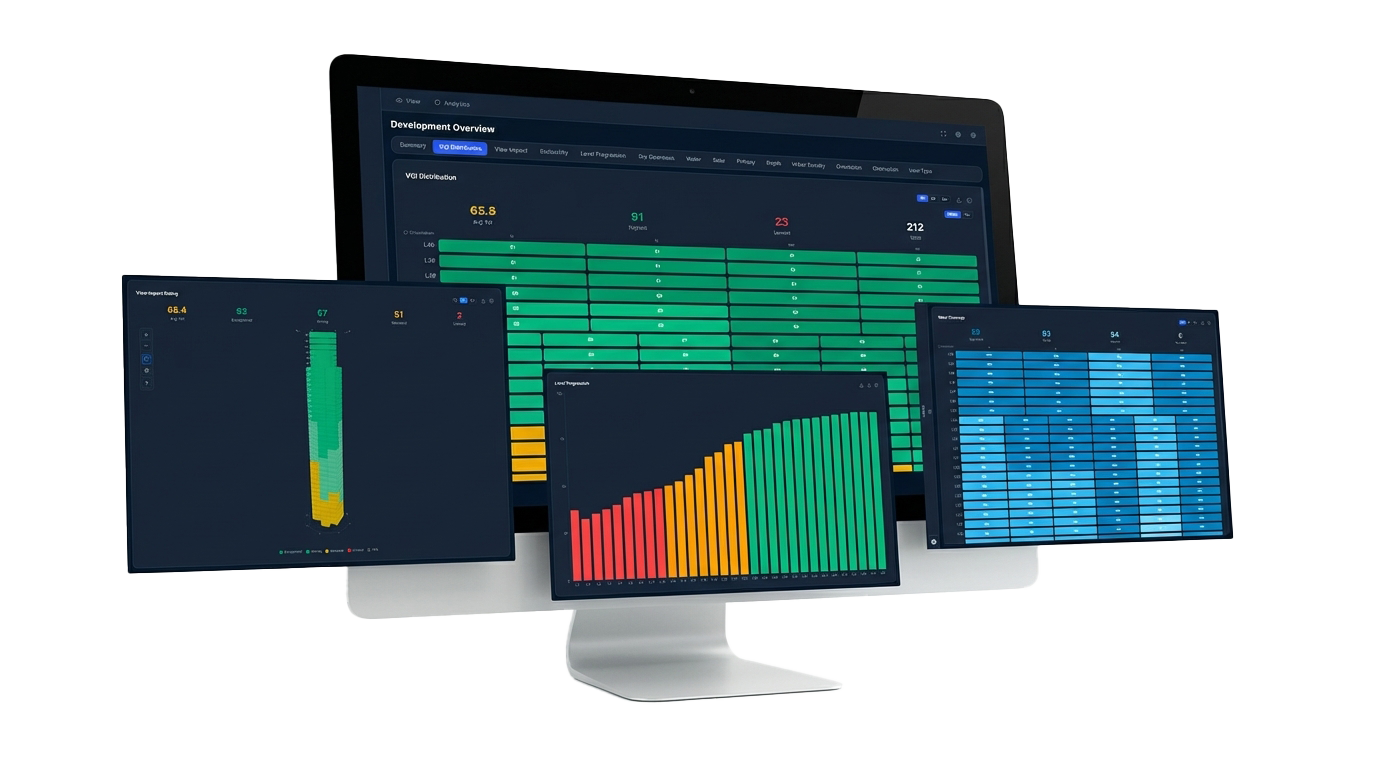
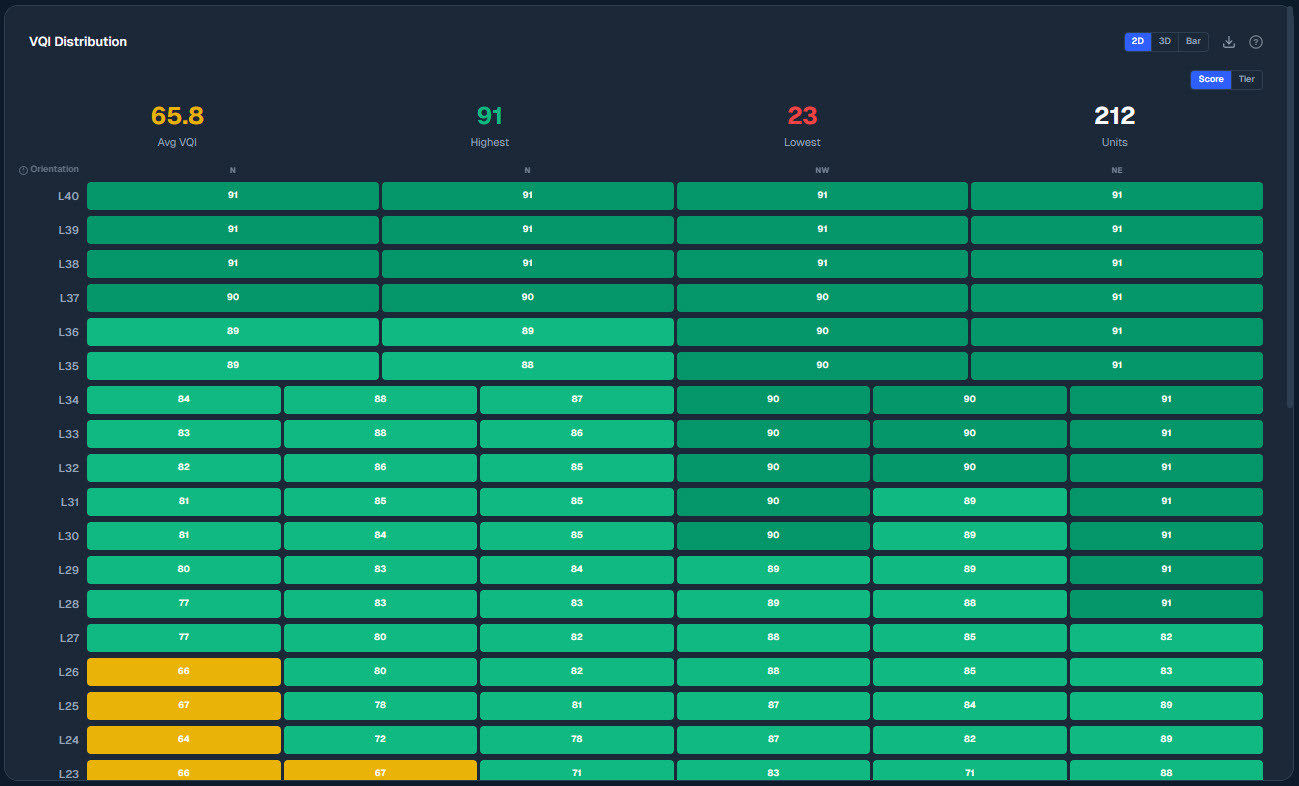
The Development Overview gives principals a complete picture of view quality distribution across all units — essential for pricing strategy and floor mix decisions.

A 2D heatmap grid showing the View Quality Index for every unit on every floor, colour-coded from green (high) to orange (low). Scan the entire building at once and spot clusters of strong or weak views.
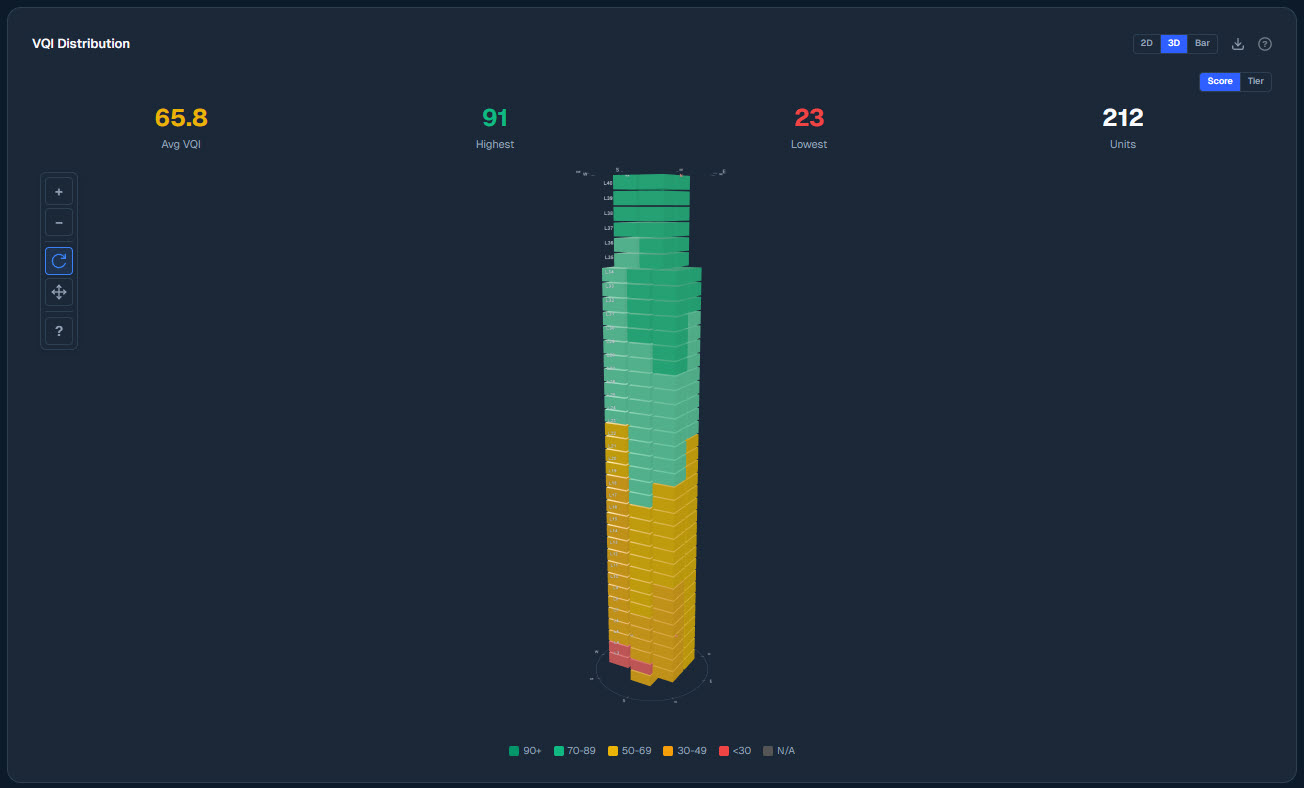
A rotatable 3D building model where each unit is colour-coded by its View Impact Rating. Spin to see how view quality wraps around the tower and changes with height.
Every unit classified into Premium, Signature, Standard, or Common tiers based on VQI score relative to the development — showing exactly how many units fall into each pricing band.
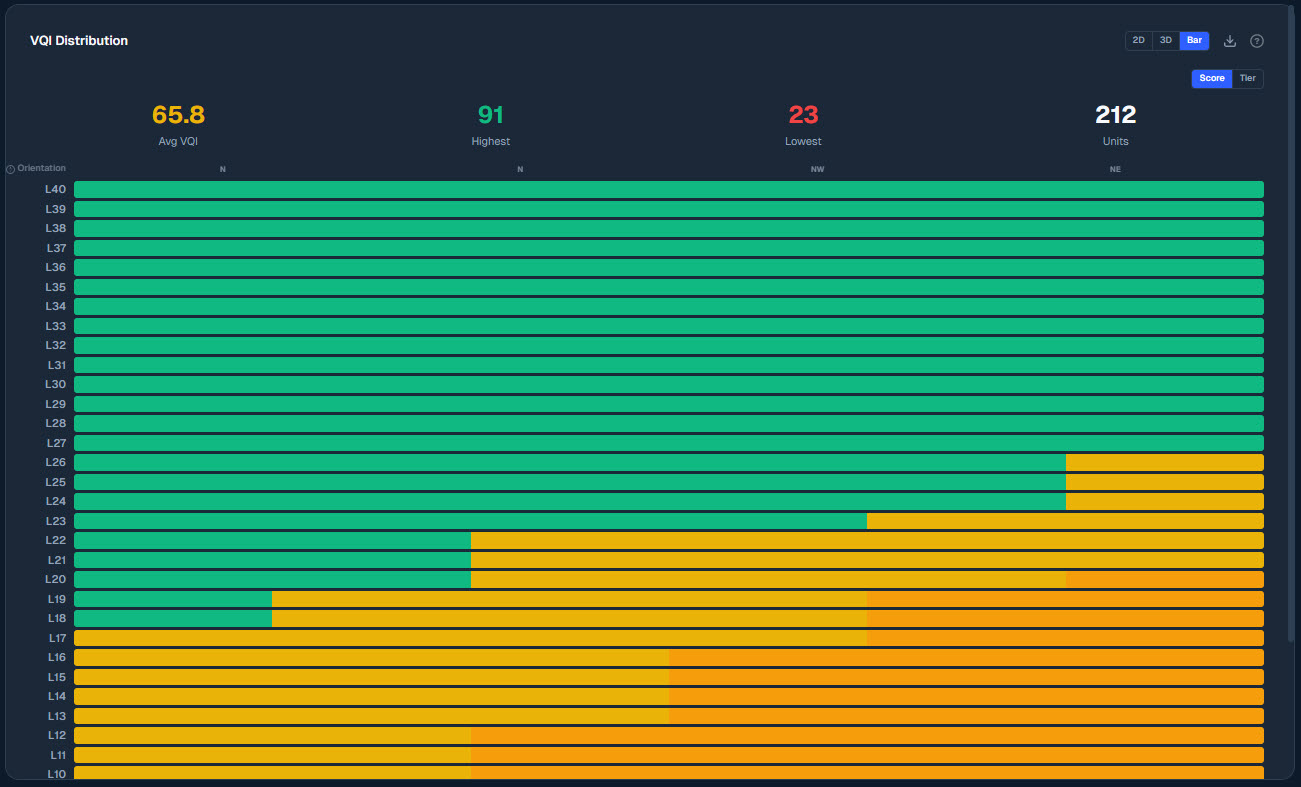
Average VQI per floor from ground to top, colour-coded by tier. Reveals the exact floor where premium views begin and where the biggest score jumps occur.
Percentage of water visible from every unit, shaded from deep blue (significant) to light (none). Identifies which orientations and floors capture the most sought-after water views.
A sortable, filterable table listing every unit with key metrics side by side — VQI, sky, obstruction, water, depth, solar, density, and privacy. The fastest way to compare any two units.
Each development overview panel can be viewed as a 2D heatmap, an interactive 3D building model, or a horizontal bar chart — switch between them with one click.


View AI generates two distinct PDF exports — a client-facing report for buyers and a developer analytics report for principals, pricing strategy, and feasibility.

Scout AI is a natural language query panel built into View AI. Type a plain English question about your project and it interrogates the full unit dataset to find and highlight matching units.
View AI is added to any ViewNav project as a flat one-time fee — no subscription, no lock-in. Tell us about your development and we'll include it in your proposal.
Fixed-price · No lock-in · Response within 1 business day